


Create a business profile
Create a Services business profile on the VietLinker Website
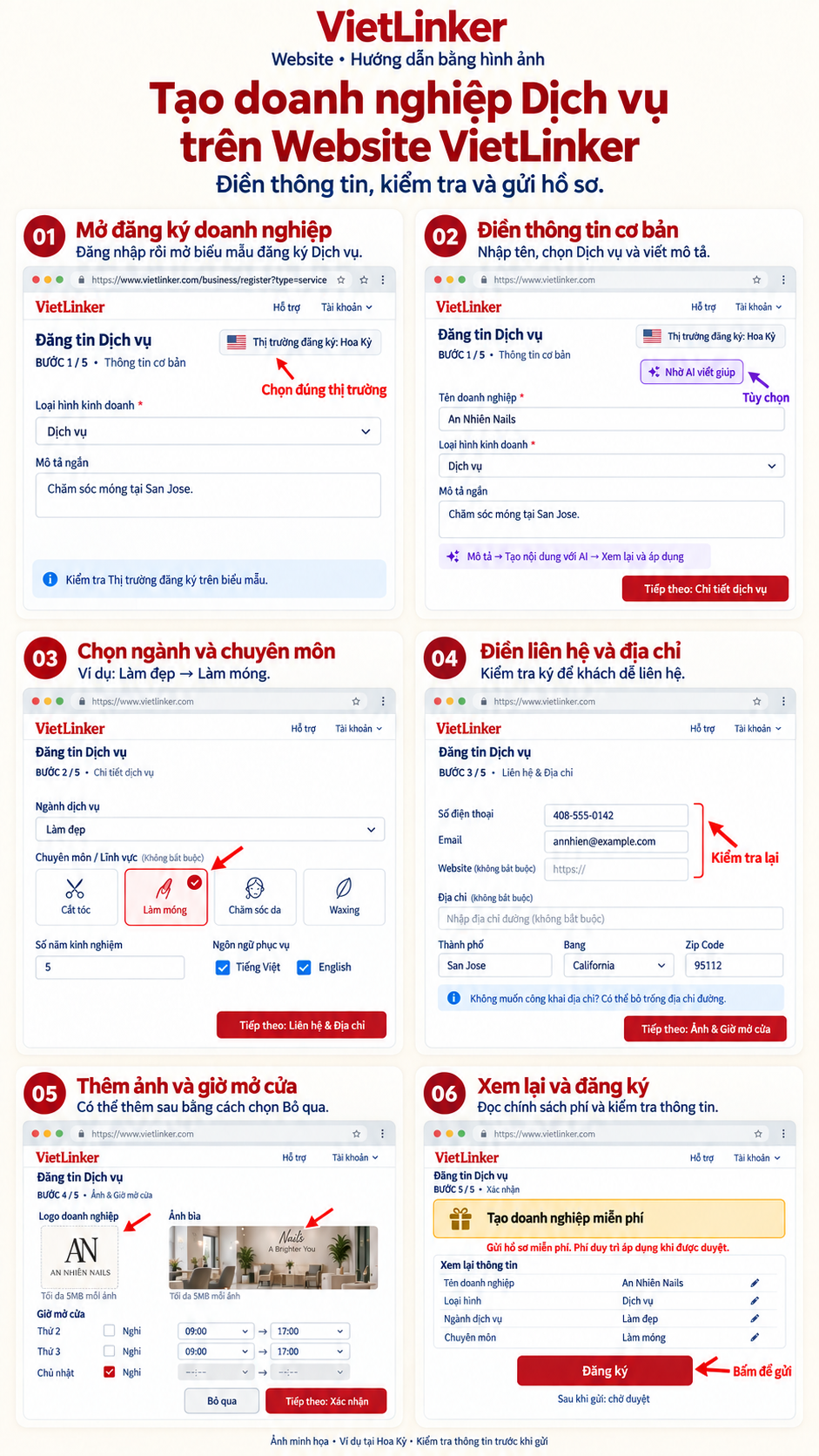
Create a Services profile with basic information, industry details, contact information, photos and opening hours. The guide also shows AI writing help and what to check before registration.
Which platform are you using?
For vietlinker.com in a browser. Choose Mobile App if you use the VietLinker app.
Visual walkthrough
Step-by-step instructions
Open business registration
Sign in to vietlinker.com and open business registration, or use the button at the bottom of this guide. Check the registration market and select Service as the business type.
Enter basic information
Enter the business name and short description and confirm that the business type is Service. You can use the AI writing helper and review its draft. Use the next-step button at the bottom.
Choose an industry and specialties
In Service details, choose an industry such as Beauty and relevant specialties such as Nails. Add years of experience and service languages. License fields depend on the industry; a license number is required for real estate agents.
Enter contact information and address
In Contact & Address, add a phone number, email and website. Enter the address, select a suitable suggestion and check the city, region and postal code. You may leave the street address blank if you do not want to publish it and enter the city and region instead.
Add photos and opening hours
In Photos & Hours, select a square logo and cover photo, up to 5MB each. Set opening and closing times and closed days; copy hours to other days when appropriate. This step is optional and can be skipped to complete later.
Review and register
In Review, read the fee notice and review your information. Use an edit icon beside a field to return and correct it. Click Register and wait for completion. The Website opens your business dashboard so you can follow the profile’s review status.

