


Create a business profile
Create a Restaurant profile on the VietLinker Website
Register a restaurant or eatery on the Website with an AI-assisted description, price range, contact details, photos and opening hours. Review the details before submitting for approval.
Which platform are you using?
For vietlinker.com in a browser. Choose Mobile App if you use the VietLinker app.
Visual walkthrough
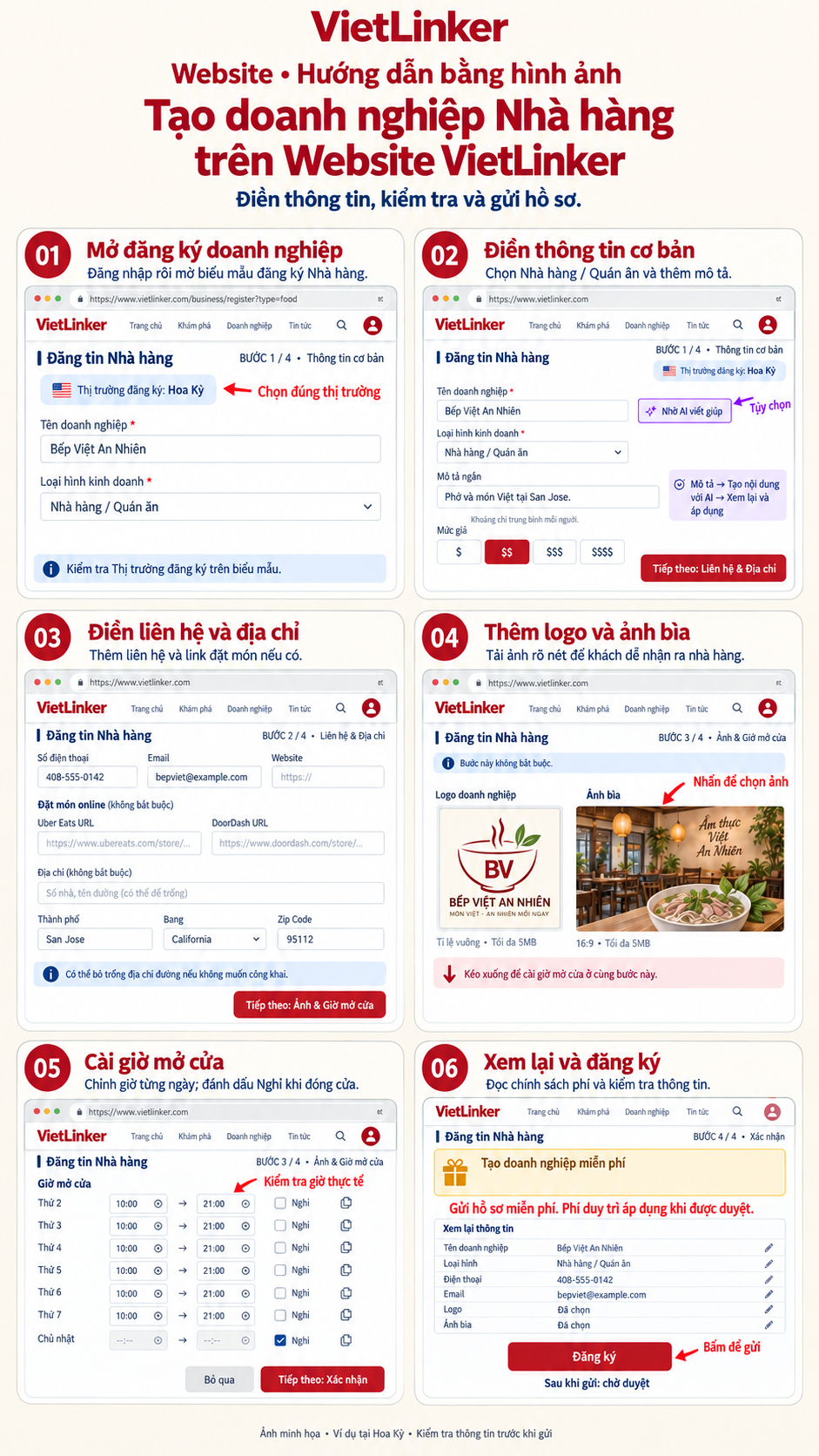
Step-by-step instructions
Open business registration
Sign in to vietlinker.com and open business registration, or use the button below. Check the registration market and select Restaurant / Eatery as the business type.
Enter basic information
Enter the business name, short description and a suitable price range from $ to $$$$. You can use the AI helper to draft text, then review it. Use the next-step button to continue to Contact & Address.
Enter contact information and address
Add the restaurant’s phone, email, website and address. Check the city, region and postal code after choosing an address suggestion. Add the correct Uber Eats or DoorDash store URLs if available. The street address is optional; an accurate address helps customers find you.
Add a logo and cover photo
In Photos & Hours, select a square logo and a cover photo, up to 5MB each. A 16:9 cover is suggested. Images are optional and can be added later.
Set opening hours
Scroll down within the same Photos & Hours step to set each day’s opening and closing times or mark it closed. Copy hours when several days share a schedule. Review the hours and continue to Review.
Review and register
Read the fee notice and review your information, correcting fields if needed. Click Register and wait for photo uploads and submission to finish. The Website opens your business dashboard. The new restaurant profile needs approval before appearing publicly.

