


Manage your posts
Track, edit and delete posts on the VietLinker Website
Manage Marketplace, Jobs and Real Estate listings from My posts. This guide explains how to read status badges, save edits and confirm a deletion.
Which platform are you using?
For vietlinker.com in a browser. If you use the VietLinker app, choose Mobile App above.
Visual walkthrough
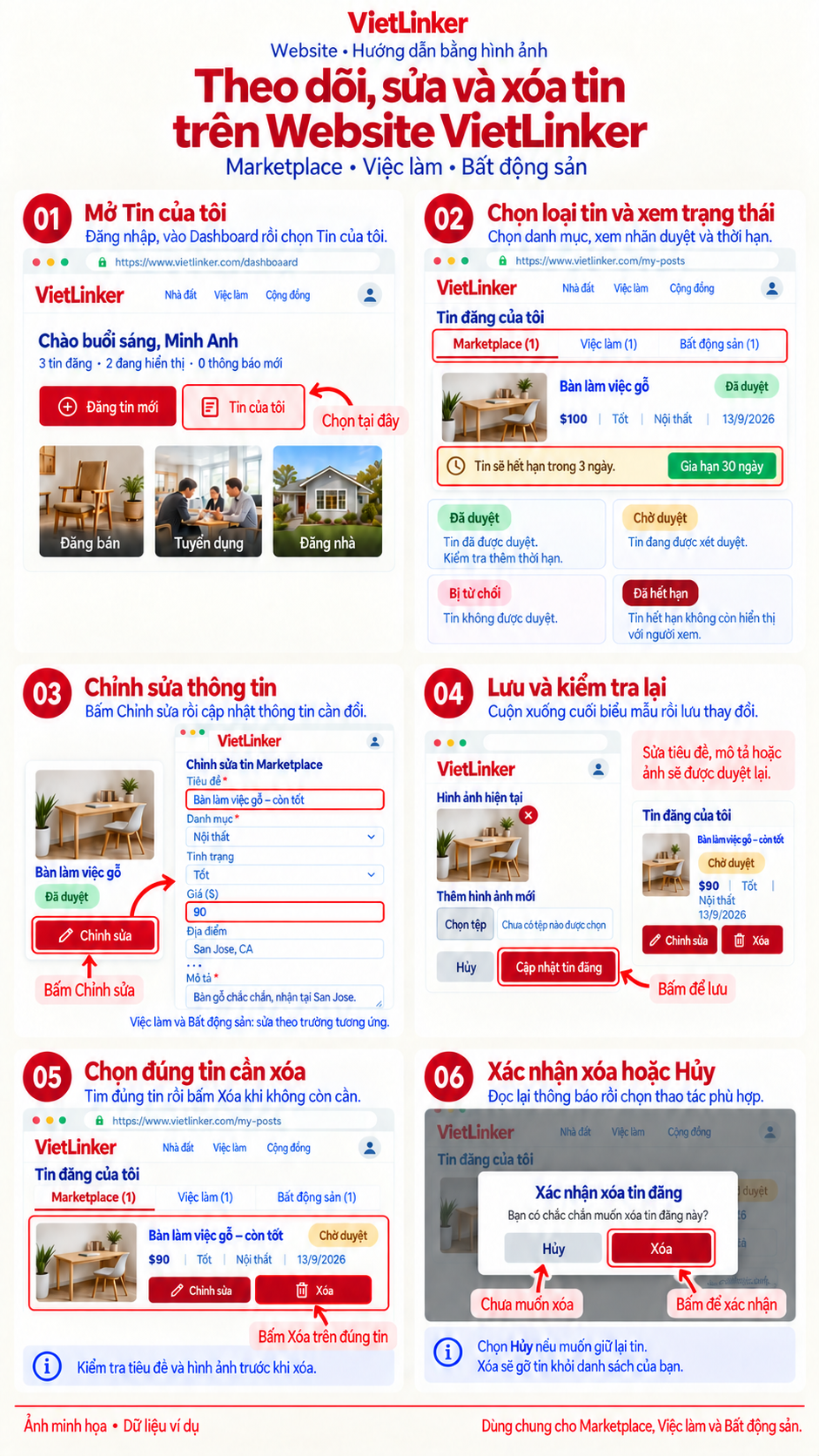
Step-by-step instructions
Track your posts
Open your post list
Sign in to vietlinker.com, open the Dashboard and choose My posts. Select one of the three category tabs: Marketplace, Jobs or Real Estate.
Track status and expiration
Check each card for Approved, Pending review, Rejected or Expired. Read any expiration notice to see whether the post is still visible or needs renewal. For Jobs, choose View applicants to see applications.
Edit a post
Choose Edit and change the relevant fields
Click Edit on the correct post card. The form contains your existing title, description, photos and fields for that post type. Follow the image limit shown on the form when adding photos.
Click Update listing
Scroll to the bottom, review your changes and click Update listing. After a successful save, the Website returns to My posts. Check your post again: changes to its title, description or photos return it to Pending review.
Delete a post
Select the post to delete
In My posts, choose the category and check the title and photo. Click Delete on the post you no longer need. The Website opens a confirmation dialog before deleting it.
Confirm deletion or keep the post
The Confirm post deletion dialog asks: Are you sure you want to delete this post? Click Delete to confirm or Cancel to keep it. After a successful deletion, the post is removed from your list.

